

A website care plan is a set of recurring services meant to keep your site healthy, secure, and running smoothly. It's basically preventative maintenance and technical support for what is likely your most important digital asset.
Your Website Is a High-Performance Asset
It helps to think of your website less like a static brochure and more like a high-performance vehicle. You wouldn't buy a new car and expect it to run perfectly for years without ever changing the oil, rotating the tires, or taking it in for a regular check-up. Neglecting it would obviously lead to sluggish performance, sudden breakdowns, and expensive emergency repairs down the road.
Your website works the same way. It isn't a simple, static thing; it's a complex machine built on software that needs regular attention to stay in top form.
Shifting from Project to Process
Too many business owners treat their website as a one-and-done project. Build it, launch it, and then forget about it. This is a huge mistake. The online world is always in flux, with new security threats popping up daily and software updates rolling out constantly. A "set it and forget it" attitude leaves your site exposed and guarantees it will degrade over time.
A website care plan completely changes this thinking. It turns the one-time project into an ongoing process. It's the scheduled maintenance that makes sure your initial investment keeps paying off long after you launch. This proactive approach is all about stopping problems before they can ever mess with your business.
A website without a care plan is like a car without insurance or a maintenance schedule. It might run fine for a while, but you're operating on borrowed time until a costly, preventable issue arises.
Just like a good mechanic keeps your car's engine tuned, a care plan keeps the backend of your website running efficiently. It takes care of all the crucial technical tasks that are easy to overlook but vital for the site's health and longevity.
This includes things like:
- Consistent software updates to patch security holes and keep everything compatible.
- Reliable backups to give you a safety net if data is lost or the server fails.
- Vigilant security monitoring to block threats before they can do any real damage.
- Performance checks to ensure your site stays fast and responsive for every visitor.
Ultimately, proactive website maintenance isn't just another expense—it's a strategic advantage. It protects your investment, safeguards your reputation, and ensures your digital engine is always fired up and ready to go.
What Exactly Is a Website Care Plan?

Let's skip the jargon. A website care plan is simply a service package for keeping your website secure, healthy, and performing well. Think of it like a property manager for your digital storefront.
Instead of just reacting when things go wrong—like a server crash, a hack, or some other critical error—a care plan is all about prevention. It's a set routine of technical tasks bundled together to stop problems from happening in the first place. This changes website management from a stressful, reactive emergency service into a calm, proactive strategy.
You wouldn't wait for your car's engine to fail before getting an oil change, right? A website care plan gives that same regular, preventative care to your website, making sure it stays a reliable asset for your business.
From Reactive Fixes to Proactive Health
The big difference is the approach. Without a plan, you're always playing catch-up, only dealing with issues after they've already broken something. That usually means frantic calls for expensive, last-minute help and costly downtime for your business. A website care plan completely flips that around.
It bundles several key services into a single monthly routine:
- Consistent Software Updates for your core system (like WordPress itself), along with all your plugins and themes.
- Reliable Backups of both your files and your database, giving you a safety net to restore from if needed.
- Vigilant Security Monitoring to scan for malware and block suspicious activity before it causes damage.
- Performance and Uptime Checks to make sure your site is always online and loading quickly for your visitors.
A website care plan isn't an emergency repair service; it's a comprehensive health and wellness program for your site. Its goal is to prevent the emergency from ever happening in the first place.
This kind of structured maintenance ensures your website remains an asset, not a liability. For example, with 43% of all websites running on WordPress, it's become a huge target for cyberattacks. Proactive care isn't a luxury anymore; it's essential for protecting your investment and your reputation.
Tools like WP Foundry can make this much easier by automating these critical maintenance tasks, centralizing everything so it's simple and efficient to manage.
Ultimately, a good care plan frees you from the technical side of owning a website. It provides the peace of mind to focus on your business, knowing your site is secure, stable, and professionally looked after.
The Four Pillars of an Effective Care Plan
A solid website care plan isn't just a random checklist of tasks. It’s a deliberate strategy built on four core pillars, each designed to protect a specific part of your online asset. Once you understand these pillars, you'll see exactly what you're paying for and why each one is absolutely essential for a healthy website.
These pieces work together, forming a complete defense and performance system for your site. This graphic gives you a quick look at how security, backups, and speed are at the heart of any good care plan.
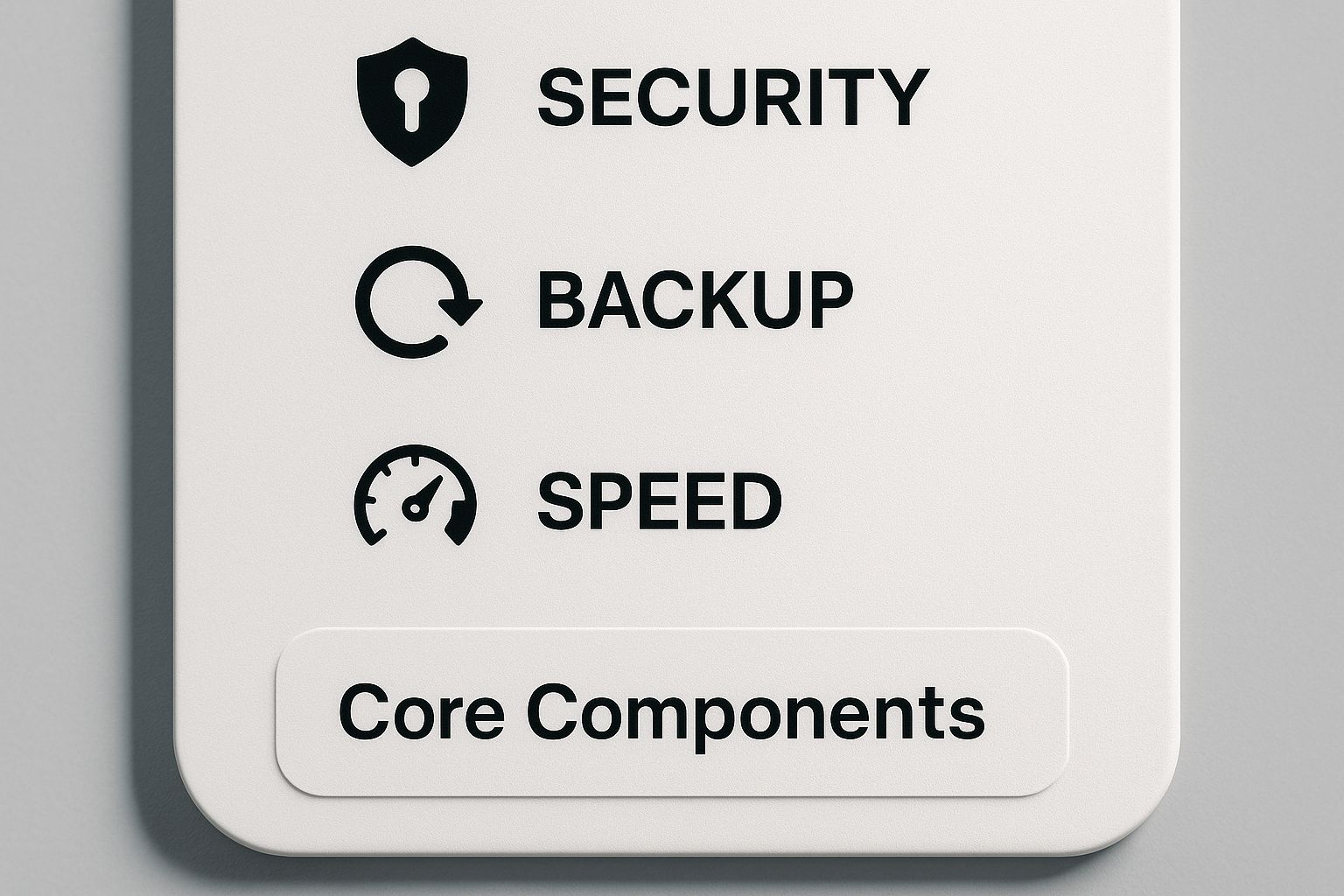
As you can see, these elements are all connected. They create the foundation for a website that is both tough and dependable. Let's break down each of these essential pillars.
Pillar 1: Software Updates
Think of those "update available" notifications as your website’s immune system sending out an alert. The software that runs your site—from the WordPress core to its plugins and themes—is always being worked on by developers. These updates aren't just for adding flashy new features; they're often released to patch newly found security holes.
Ignoring them is like leaving your front door unlocked. Hackers actively hunt for sites running old software because the known weaknesses are an easy way in. A good website care plan makes sure these updates are applied quickly and, just as importantly, safely, testing to prevent conflicts that could take your site offline.
Pillar 2: Reliable Backups
No matter how strong your defenses are, things can still go wrong. A server might crash, a simple edit could accidentally delete a crucial file, or a hacker could corrupt your data. This is where backups become your ultimate "undo button"—a complete safety net for your entire online business.
An effective plan doesn't just take backups; it manages them smartly. This means:
- Regular Scheduling: Backups should run automatically on a set schedule, like daily or weekly, based on how often you update your content.
- Offsite Storage: Storing your backups on the same server as your website is a huge risk. They must be saved in a secure, separate location like a cloud storage service.
- Verification: A backup is worthless if it can't be restored. A proper plan involves periodically testing your backups to make sure they work perfectly.
This pillar is your insurance policy against disaster, letting you restore your site to a working state with minimal downtime. To get a system in place for this, our WordPress maintenance checklist offers a step-by-step guide for managing updates and backups the right way.
Pillar 3: Proactive Security
Website security isn't a one-and-done task; it’s a 24/7 job. A strong security pillar is like having a digital security guard who is always on patrol, watching for threats and actively blocking attacks. The scale of the threat is massive; WordPress sites alone face an estimated 90,000 attacks every single minute.
A care plan’s security pillar shifts your strategy from damage control to threat prevention. It’s about building a digital fortress, not just cleaning up after a break-in.
This involves multiple layers of protection, like a firewall to block malicious traffic and regular malware scans to find and remove any harmful code that might have slipped through. Without this constant vigilance, your site is just an easy target.
Pillar 4: Performance and Uptime Monitoring
Finally, your website must be both fast and available. If your site is slow to load or down completely, visitors will leave, and your search engine rankings will suffer. Performance and uptime monitoring is the pillar that ensures your website provides a great user experience around the clock.
Uptime monitoring tools constantly check to see if your site is online. If it goes down, your maintenance provider gets an instant alert—often before you or your customers even notice there's a problem. Performance monitoring, on the other hand, is all about speed. It identifies what's slowing down your pages and helps implement fixes to keep things running smoothly.
A well-rounded website care plan isn't just a list of services; it's a comprehensive strategy for keeping your website healthy, secure, and fast. The table below breaks down these core components and their roles.
Core Components of a Website Care Plan
| Component | What It Does | Why It's Critical |
|---|---|---|
| Software Updates | Regularly updates the website's core system, plugins, and themes to the latest versions. | Patches security holes, adds new features, and ensures compatibility between different components. |
| Reliable Backups | Creates and securely stores complete copies of the website's files and database. | Provides a "restore point" to recover from data loss, hacks, or critical errors with minimal downtime. |
| Proactive Security | Implements firewalls, runs malware scans, and monitors for suspicious activity 24/7. | Prevents attacks before they happen, protecting your data, reputation, and user trust. |
| Performance & Uptime Monitoring | Continuously checks website speed and availability, sending alerts if the site is slow or down. | Ensures a positive user experience, protects SEO rankings, and minimizes lost revenue from outages. |
By ensuring all four pillars are in place, you create a robust foundation that not only protects your investment but also helps it thrive.
The Real Cost of Neglecting Website Maintenance
Thinking of a website care plan as an optional extra is a common mistake, and a very expensive one. It's much more accurate to see it as a critical investment—one that protects your business from very real, very costly problems down the road. The true price of neglect isn't measured in technical jargon; it's calculated in lost sales, a tarnished reputation, and the panic of paying for high-priced emergency fixes.
When you skip proactive maintenance, you're essentially rolling the dice with your most important digital asset. The stakes are incredibly high. Just think about the financial hit from downtime. One study found that system downtime can cost companies an average of $5,600 per minute. Your business might not be at that scale, but every single minute your site is offline is a minute you aren't making sales, capturing leads, or helping your customers.
The Emergency Tax on Your Business
One of the most immediate costs of neglect is what I like to call the "emergency tax." This is the premium you pay for urgent, last-minute repairs that a simple monthly care plan would have easily prevented. A hacked site, a crashed server, or a critical plugin conflict never happens at a convenient time.
When disaster strikes, you're suddenly scrambling to find a developer who will drop everything to fix your problem—at premium emergency rates, of course. This reactive approach is always more expensive and way more stressful than the steady, predictable cost of a proactive care plan. A single security breach can easily run into thousands of dollars in cleanup fees, and that's before you even count the revenue you lost while your site was down.
Deeper Than Just Dollars and Cents
The financial hit from an emergency is just the start. The damage to your brand and the trust you've built with your customers can be much worse and last a lot longer.
- Damaged Reputation: A hacked or broken website just looks unprofessional and untrustworthy. Visitors who see security warnings or error pages will bounce immediately, and they probably won't be back.
- Plummeting SEO Rankings: Search engines like Google want to send their users to fast, secure, and reliable websites. Downtime, slow performance, and security holes will cause your search rankings to tank, making you invisible to potential customers.
- Loss of Customer Trust: If your site is breached, your customers' data could be at risk. This doesn't just open you up to legal trouble; it shatters the trust you've worked so hard to build.
Neglecting website maintenance isn't saving money; it's just putting off a much larger, inevitable bill. Proactive care is the insurance that protects you from paying the steep price of an emergency.
Knowing how to properly defend your site is crucial; a guide to modern data breach prevention offers some great insights here. And just as important, you need a proven strategy for bouncing back when things go wrong. Check out our detailed guide on WordPress site recovery to see how a solid plan can save your business.
How to Choose the Right Website Care Plan

Picking the right website care plan isn't about finding a one-size-fits-all solution. It just doesn't exist. What works for a simple blog is going to be completely inadequate for a busy e-commerce store. The best choice always comes down to a clear-eyed look at your site’s needs, your budget, and how much technical work you’re realistically willing to do yourself.
Think of it like getting a service plan for your car. A vehicle used for a daily 10-minute commute has totally different maintenance needs than a long-haul delivery truck. You're looking for that sweet spot—getting the services you need to protect your investment without paying for extras that don't make sense for you.
Assess Your Website's Needs
Before you even start looking at plans, you need a solid handle on what your website actually requires. A few simple questions can help you establish a baseline.
-
How complex is your site? A basic five-page brochure site is a world away from a big e-commerce platform juggling hundreds of products, payment gateways, and customer accounts. More moving parts means you'll need a more comprehensive plan.
-
What kind of traffic do you get? If you have thousands of visitors every day, constant uptime monitoring and performance tuning are essential to keep things running smoothly. A site with lighter traffic can usually get by with a more basic package.
-
How critical is uptime for your business? If your website is how you make money, every single minute of downtime is money lost. For these situations, a premium plan with instant support and rapid response times isn't a luxury; it's a must-have.
Getting honest answers to these questions will point you toward the level of service that actually fits your business.
Understanding Service Tiers
Most providers structure their care plans in tiers, making it easier to match their services to your budget and needs.
Choosing a care plan is really an exercise in risk management. A basic plan handles the essentials to prevent common problems, while a premium plan is a full-blown strategy to boost performance and support growth.
Here’s what those tiers usually look like:
-
Basic Plans: These cover the absolute must-haves: core software updates, daily or weekly backups, and basic security scans. They’re a great fit for blogs, portfolios, and small business sites without a lot of complex features.
-
Standard/Growth Plans: Moving up a level typically adds performance optimization (like caching), more frequent backups, and uptime monitoring. Often, these plans will also include a little bit of time each month for small content tweaks or support questions.
-
Premium Plans: These are built for e-commerce sites and other mission-critical websites. You’ll see advanced security, SEO reports, dedicated support, and sometimes even development time for building out new features.
If you want a clearer idea of what goes into a complete service package, check out our guide on creating a WordPress website maintenance plan. It breaks down the specific tasks involved, which can help you figure out what a provider is offering or if you can even tackle it yourself.
DIY vs. Professional Service
The last big decision is whether to handle your site’s care on your own or bring in an expert. Going the DIY route might seem cheaper at first, but it has hidden costs—namely, your time and the very real risk of making a mistake that takes your site down.
Before you decide, it helps to see the trade-offs side-by-side.
DIY vs. Professional Website Care Plan
| Aspect | DIY Approach | Professional Service |
|---|---|---|
| Time Investment | High; requires hours each month for updates, backups, and monitoring. | Low; frees you up to focus on running your business. |
| Technical Skill | Requires a solid grasp of WordPress, servers, and security best practices. | Handled by experts who live and breathe this stuff. |
| Risk Factor | High; one bad update or a missed vulnerability can cause major issues. | Low; seasoned pros know how to prevent problems and fix them fast. |
| Overall Cost | Lower upfront cost, but high potential cost from downtime or mistakes. | A predictable monthly fee that acts like insurance for your website. |
Ultimately, the right path depends on your comfort level with the technical side of things and how much you value your own time. For many, outsourcing to a pro is a simple decision that provides peace of mind.
Frequently Asked Questions About Website Care
Even after seeing all the benefits, you might have a few lingering questions about how a website care plan actually works in practice. Let's get into some of the most common things business owners ask.
How Often Should My Website Be Updated?
Think of updates as your site's immune system. To keep it healthy, you should be checking for updates to your core system, themes, and plugins at least weekly. Security patches are often pushed out in response to a newly discovered threat, so applying them right away is your best defense.
If you run a more complex site, like an e-commerce store that handles customer payment details, daily checks are even better. A good care plan automates this, making sure every patch is applied as soon as it's available without you needing to do a thing. This consistent schedule closes security holes before anyone has a chance to find them.
Can I Manage My Own Website Care Plan?
You absolutely can, but it's a real commitment. Going the DIY route means you need to have the technical skills, a decent amount of free time, and the discipline to stay on top of everything.
You'll be responsible for the whole checklist:
- Running all the software updates and fixing any conflicts that pop up.
- Scheduling, running, and testing your backup files to make sure they work.
- Scanning for security threats and cleaning up malware if you find any.
- Watching your site's performance and uptime around the clock.
For most business owners, the time and brainpower spent on all this is much better used on things that actually grow the business—like sales, marketing, or talking to customers. A professional service simply takes the risk and the repetitive work off your plate.
What Is the Difference Between a Care Plan and Web Hosting?
This is a great question, and it's a point of confusion for a lot of people. The simplest way to think about it is with an analogy.
Let's say your website is a house.
Web hosting is the plot of land you rent for your house to sit on. The hosting company provides the physical space and makes sure the utilities (like power and water) are connected. They're responsible for the server infrastructure that your site lives on.
A website care plan is your property management service. They're the ones who fix the leaky pipes, mow the lawn, test the smoke detectors, and make sure the security system is armed. They handle all the day-to-day work needed to keep the house itself safe, secure, and in great shape.
So, your host gives you the foundation, but a care plan provides the ongoing maintenance that keeps your digital property from falling apart. You really need both working together to have a reliable and secure website.
Ready to stop stressing about website maintenance? WP Foundry gives you a powerful desktop app that pulls all your essential care tasks—updates, backups, security scans, and more—into one place for all your WordPress sites. Simplify your workflow with WP Foundry today.