

Remote database administration is all about managing, securing, and tuning a database from a different physical location than the server itself. This simple but powerful concept lets specialists keep your website's data healthy and humming along without ever setting foot in your office, giving you flexibility and access to top-tier talent from anywhere in the world.
Understanding Remote Database Administration
Think of a database administrator (DBA) as a highly specialized digital librarian for your website. They don't handle physical books, but they organize, protect, and maintain all the digital information that makes your site work—every user login, blog post, and customer order. And they can do it all from their own home office, miles away.
This idea isn't just a convenience; it's become a necessity. As businesses go global and teams become more distributed, remote database administration breaks down geographical barriers. A company in New York can easily hire the best DBA in Berlin.
The Role of a Remote DBA
The day-to-day work of a remote DBA is exactly the same as an on-site administrator; the only difference is they connect through secure networks. Their tasks are absolutely critical for keeping a WordPress site, blog, or online store running without a hitch.
Here’s a look at what they do:
- Performance Tuning: Like a mechanic fine-tuning a high-performance engine, a remote DBA optimizes database queries and server settings. This is what makes your website load lightning-fast for visitors.
- Security Management: They are the digital guards at the gate. A remote DBA sets up user permissions, patches vulnerabilities, and constantly monitors for suspicious activity to stop data breaches before they happen.
- Backup and Recovery: Things go wrong. When they do, the DBA is the one who has a solid plan. They create regular backups and design disaster recovery strategies to get your data back online quickly after any failure.
- Data Integrity: They make sure the information in your database is accurate and consistent. This prevents the kind of data corruption that can bring a business to its knees.
A skilled remote DBA doesn't just fix problems—they prevent them. Their proactive monitoring and maintenance are what separate a slow, vulnerable website from a fast, secure, and reliable one.
Essential Tools and Techniques
To do their job from across the country or around the world, DBAs depend on a specific set of tools and secure protocols. They use specialized software to connect to the database server, run commands, and get a real-time view of its health.
For remote DBAs, knowing advanced techniques like data replication is also key for ensuring high availability and robust disaster recovery. If you want to dive deeper, check out this excellent a guide to database replication software.
Ultimately, following professional standards is non-negotiable. You can learn more by exploring these database management best practices. This combination of technology and deep expertise is what makes remote administration such an effective solution for any modern business.
Why Your WordPress Site Needs Remote DBAs
It’s a common misconception among WordPress site owners: my hosting provider handles everything, right? While hosts do a great job managing the server hardware, the health of your site’s database often falls into a risky grey area.
Think of your database as the digital engine of your website. It stores every post, product, and user comment. When that engine isn't running smoothly, your entire site suffers. That's where professional remote database administration stops being a luxury and becomes an absolute necessity.
Your site’s performance and security are directly chained to the well-being of its database. A poorly optimized database is like a car engine sputtering on bad fuel; it drags everything down and leads to painfully slow page load times. The numbers don't lie—studies show that a mere one-second delay can cause a 7% reduction in conversions.
Preventing Common Disasters
Let's paint a picture. You run an online store, and your biggest holiday sale of the year is just getting started. Traffic is pouring in, but instead of celebrating sales, you’re watching your website crash under the load. It’s a nightmare scenario, and it's almost always caused by a database that couldn't keep up.
A remote DBA is your defense against this. They proactively tune queries and optimize database structures to handle huge spikes in traffic, making sure your site stays online and profitable when it counts the most. They also manage critical security, patching vulnerabilities that could otherwise open the door to a devastating data breach.
Plus, something as simple as a failed plugin update or a server glitch can corrupt your database in a heartbeat, potentially wiping out years of hard work or customer data. Having an expert in your corner is what safeguards your business from these digital landmines.
A healthy database is the foundation of a successful WordPress site. Without it, you risk poor performance, security vulnerabilities, and catastrophic data loss that can cripple your business overnight.
The Real-World Impact on Your Business
A remote DBA’s value goes way beyond just tweaking technical settings. Their work is a direct investment in protecting your revenue and your reputation.
Here are a few key areas where they really make a difference:
- Uptime and Reliability: By fine-tuning performance, a remote DBA keeps your site online and available, preventing lost sales and saving customers from frustration.
- Data Protection: They put robust security measures in place to guard sensitive customer information, which builds trust and helps you comply with data privacy laws.
- Disaster Recovery: A good DBA doesn’t just back up your data; they create and test a solid recovery plan. If you want to learn more about setting up bulletproof protection, you can explore how to set up reliable remote server backups to keep your digital assets safe.
In the end, a remote DBA acts as a specialized guardian for your most critical asset—your data. This frees you up to focus on growing your business, giving you the peace of mind that the technical backbone of your website is in expert hands.
How We Securely Access Your Database From Anywhere
So, how does a database pro securely get into your WordPress database from halfway across the world? It's not magic, but it might as well be. We rely on special protocols that create a heavily fortified, private connection right over the public internet. This makes sure your sensitive data stays completely under wraps.
Think of these technologies as the digital version of an armored truck. Instead of just sending your precious data out in the open where anyone could grab it, we build a secure, encrypted pathway. This shields every single piece of information from prying eyes. Getting a feel for how these protocols work is the first step to understanding what makes remote database administration so secure and effective.
SSH Tunnels: The Digital Secret Passageway
One of the most trusted and rock-solid methods we use is the SSH Tunnel. Picture it like this: we create a secret, encrypted tunnel that runs directly from our computer to your database server. Anything sent through this tunnel—from customer information to complex database commands—is completely scrambled and unreadable to anyone who might try to intercept it.
This method guarantees that all communication is private, just like that armored truck protects its cargo while on the road. It’s a foundational technique for any serious remote management work.
The image below really drives home why secure access is so critical in any server environment.
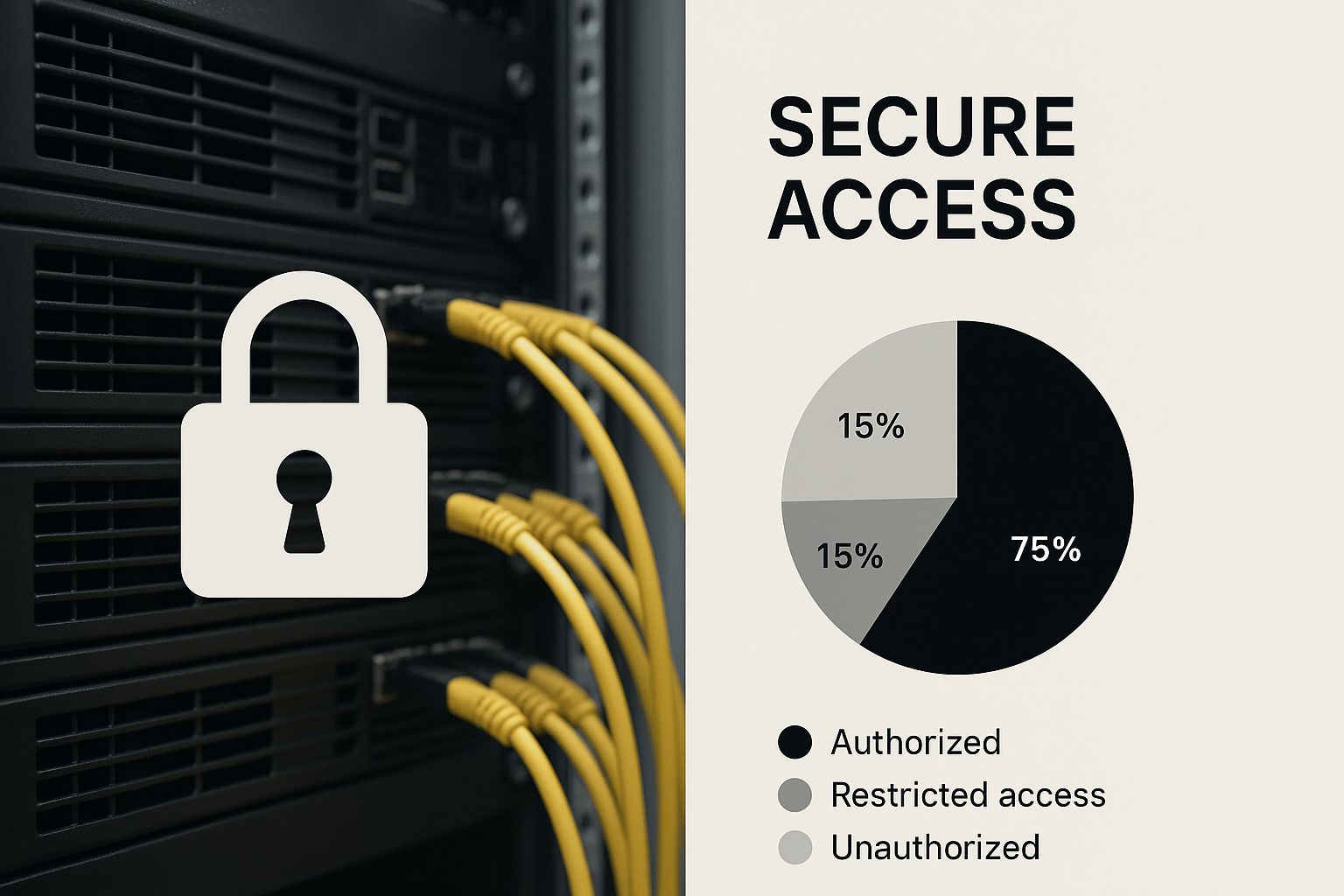
As you can see, the physical server hardware is only as safe as the digital front doors that control it. That’s what makes protocols like SSH absolutely essential.
VPNs and Specialized Tools
Another go-to method is a Virtual Private Network (VPN). A VPN basically stretches a private network over the public internet. This lets a remote DBA's computer act as if it were physically plugged into your office's local network, creating a secure and unified space for managing everything.
On top of that, most of us use dedicated database clients. These are specialized software tools like MySQL Workbench or DBeaver that come with built-in support for secure connections. They handle the heavy lifting, often using SSH or SSL/TLS encryption to protect data on the move. You get a user-friendly interface backed by some serious security muscle.
Of course, these protocols are only one piece of the puzzle. They always need to be paired with strong user authentication. You can learn more about locking down your login process by reading about WordPress two-factor authentication.
Picking the right access method really boils down to the specific security needs and what infrastructure is already in place. But the end goal is always the same: create an encrypted, authenticated, and auditable connection that protects your data's integrity at all costs.
Comparing Remote Database Access Methods
To make it clearer, here’s a quick breakdown of how these common methods stack up against each other. Each has its place, and knowing the difference helps in choosing the right tool for the job.
| Method | Primary Use Case | Security Level | Pros | Cons |
|---|---|---|---|---|
| SSH Tunnel | Securing a single connection to a specific service or server. | High | Highly secure, granular control, widely supported on servers. | Can be complex to set up; only protects traffic for the specified port. |
| VPN | Connecting an entire device to a remote private network securely. | High | Secures all network traffic from the device, creates a unified environment. | Can introduce latency; requires a dedicated VPN server and client software. |
| Direct Connection (SSL/TLS) | Connecting a database client directly to a database configured for SSL. | Moderate to High | Simpler to configure than SSH, built into many database systems. | Requires proper certificate management; only encrypts the database connection itself. |
Ultimately, a layered approach is often the best. Combining these methods with other security practices ensures your database remains locked down, no matter where it's being managed from.
The software that makes all this possible, known as database management systems (DBMS), is a huge and rapidly expanding industry. The global DBMS market was valued at USD 51.45 billion in 2025 and is projected to skyrocket to USD 198.4 billion by 2034. This explosive growth just goes to show how much businesses are relying on secure, remote-first database solutions to manage massive amounts of data.
Essential Security Practices for Remote DBAs
When you’re managing a database from afar, security isn't just another box to check—it’s the foundation everything is built on. With your data’s guardian potentially miles away, the protocols they follow become your digital fortress. Nailing down a strict security framework isn't just a good idea; it's absolutely essential for protecting your most critical business asset.
This goes way beyond simply keeping people out. It’s about building a defense in layers. A strong security posture weaves together tight access controls, vigilant monitoring, and solid data protection. Each piece works together to patch up vulnerabilities and protect your database from a laundry list of modern threats.
Enforce the Principle of Least Privilege
One of the most powerful security strategies is also one of the simplest: The Principle of Least Privilege (PoLP).
Think of it like handing out keys to an office building. You’d give the cleaning crew access to the main floors, but not the server room. The CEO gets a key to their office, but not the supply closet. Everyone gets access only to the areas they absolutely need to do their job—and nothing more.
In the world of databases, this means setting up user accounts for remote DBAs with very specific, limited permissions. If a DBA just needs to run performance tuning on a few tables, they shouldn't have the power to drop the entire database. This simple rule drastically cuts down the potential damage from a compromised account or even just an honest mistake.
Lock Down Access with Multi-Factor Authentication
These days, a simple username and password just don't cut it for securing important systems. Multi-Factor Authentication (MFA) adds that crucial second layer of security. It’s the digital equivalent of a deadbolt on your front door. Even if a thief steals your key (the password), they're stopped cold because they can't get past the deadbolt.
That second "factor" is always something only the real user has on them, like:
- A temporary code from an authenticator app on their phone.
- A physical security key that plugs into their computer.
- A fingerprint or facial scan.
Requiring this extra step makes it exponentially harder for an unauthorized person to gain access.
Security is a continuous process, not a one-time setup. It requires constant vigilance, regular audits, and an unwavering commitment to best practices to effectively counter modern cyber threats.
The digital world has become a much riskier place, making these measures more important than ever. The spike in cybercrime has forced companies everywhere to double down on securing remote access. In 2023 alone, over 343 million victims were hit by cyberattacks, and data breaches have shot up by 72% since 2021. Those numbers scream for better, more secure ways to manage databases from a distance. You can find more details about the rise in cyberattacks and remote access security on researchnester.com.
Encrypt Everything, All the Time
Encryption is your last and most fundamental line of defense. It essentially scrambles your data into a secret code, making it completely useless to anyone who doesn't have the special key to unlock it. For remote database work, you have to apply encryption in two places:
- Data in Transit: This is the data moving back and forth between the DBA’s machine and your server. Secure connections like SSH and VPNs, which we covered earlier, take care of this.
- Data at Rest: This protects the data as it sits on the server's hard drive. Encrypting the actual database files and their backups ensures that even if someone physically walked out with your server, the data would still be a locked, unreadable mess.
How Automation Is Changing the DBA Game
The old-school image of a database administrator hunched over a keyboard, manually fixing issues all day, is fading fast. Modern remote database administration is all about smart automation. This shift is turning DBAs from reactive firefighters into proactive strategists who focus on the big picture, not just the tiny, repetitive tasks.
It's a bit like a pilot flying a modern airliner. They set the course and are ready to take control for complex maneuvers or emergencies, but for most of the flight, the autopilot handles the routine adjustments. In the same way, automated scripts and tools are now taking care of the daily grind of database management, freeing up the human experts for work that truly matters. This isn't about replacing people; it's about making database environments smarter and more reliable.
From Manual Fixes to Strategic Oversight
Not long ago, a DBA’s day was a blur of manual backup checks, scrolling through performance logs, and applying security patches one at a time. Automation has completely flipped that script.
A remote DBA can now set up intelligent systems to manage these critical but monotonous jobs. This gives them the breathing room to focus on activities that push the business forward.
- Automated Backups: Think about scripts that run database backups every hour, on the hour, then verify each one is perfect and tuck it away safely in a remote location. This all happens without a single click from a human.
- Proactive Performance Monitoring: Instead of waiting for a customer to report a sluggish website, automated monitors keep a constant eye on database performance. If a query bogs down or server resources spike, the system fires off an alert immediately. This lets the DBA jump on the problem before anyone even notices.
- Instant Security Patching: When a new vulnerability hits the news, automated tools can roll out security patches across the entire system right away, slamming the door shut on potential attackers.
Automation changes a DBA's job from a constant firefighter to a strategic architect. It lets them spend less time on routine upkeep and more time optimizing the database for future growth and peak performance.
The Booming Market for Smart Database Tools
This shift isn't just a small trend—it's a massive market transformation. The demand for tools that take the pain out of database maintenance is skyrocketing. The global database automation market was valued at around USD 1,934 million in 2024 and is projected to hit USD 2,443 million by 2025. This explosive growth, detailed in market analysis on grandviewresearch.com, shows just how essential these solutions are becoming.
By letting the machines handle the mundane work, remote DBAs can pour their expertise into tougher challenges like planning for future growth, designing better database architecture, and fine-tuning performance. This leads to a faster, more resilient database and ensures your digital foundation is solid enough to support your business as it grows. It's a much smarter, more efficient way to look after your most important data.
Common Questions About Remote DBA Services
Handing over the keys to your database can feel like a big step. It’s totally normal to have questions about security, skills, and whether professional management is even necessary. Let's clear up some of the most common concerns business owners have when considering remote database administration.
Getting a handle on these points will help you feel confident in trusting an expert with your most critical data. The whole idea is to make sure your website's foundation is solid, secure, and ready to grow with you.
Is Remote Administration Less Secure Than On-Site Management?
Surprisingly, the answer is no. When done right, remote administration is often more secure. The safety of your database doesn't depend on someone being in the same room, but on the strength of the security protocols and tools they use.
A skilled remote DBA relies on battle-tested methods like SSH tunnels, VPNs, and strict access controls. These create an exceptionally secure connection that locks down your database from unauthorized access, no matter where the administrator is physically located. Modern security is all about strong digital fences, not physical proximity.
What Skills Should I Look For In a Remote DBA?
A top-tier remote DBA brings a mix of deep technical know-how and crucial professional habits. You need someone who has more than just textbook smarts; you need an expert with real-world experience keeping complex digital engines running smoothly.
Look for these key qualifications:
- Technical Mastery: Deep expertise in your specific database system (like MySQL for WordPress) is a must.
- Security Expertise: They need to be fluent in security protocols, encryption, and the best practices for hardening a database against attacks.
- Proven Experience: A solid track record in backup, recovery, and performance tuning is essential. You want someone who has seen it all.
- Strong Communication: They should be able to explain complex issues in plain English and keep you in the loop.
A great remote DBA is proactive, not just reactive. They anticipate problems, communicate clearly, and treat your database with the same care as if it were their own. This forward-thinking mindset is what separates an average administrator from an invaluable partner in your business's success.
At the end of the day, while you can handle basic tasks with tools like phpMyAdmin, professional database administration is a specialized field. For any website that's critical to your business, relying on an expert is the smartest way to protect your site from data loss, slowdowns, and security breaches.
For streamlined and secure management of all your WordPress sites, including database backups and security scanning, WP Foundry provides a unified interface to keep your digital assets safe and sound. Learn more about how WP Foundry can centralize your site maintenance.